The private registry
Last updated 7 November 2026
For Enterprise owners and managers who decide which skills and MCP servers their agents may load. At the end you will have created a registry, set the policy that decides what it admits, pointed an MCP client or Claude Code at it, and know how to admit a pinned command, plugin or marketplace by hand.
Plans: Enterprise
What it is for
The private registry is your organisation's own list of the skills and MCP servers that passed your policy. Spellwarden scans each skill and server you add, and the registry admits only those whose latest scan meets the policy. Agents and pipelines then draw from that list instead of from whatever they find. It is part of the Enterprise plan; on Team, the Registry page shows what the registry does and offers the plan change.
Owners and managers create the registry and change its policy. Members and viewers can read it. Each organisation has one registry, named when it is created with 3 to 40 lower-case letters, digits and hyphens. The name cannot be changed afterwards.
Open the registry in the live demo
A registry has two kinds of members. Skills and remote MCP servers enter through their scans and leave when they stop meeting the policy. Pinned commands, plugins and marketplaces enter only when an administrator allows them by hand; the allow entries section covers them.
The admission policy and its defaults
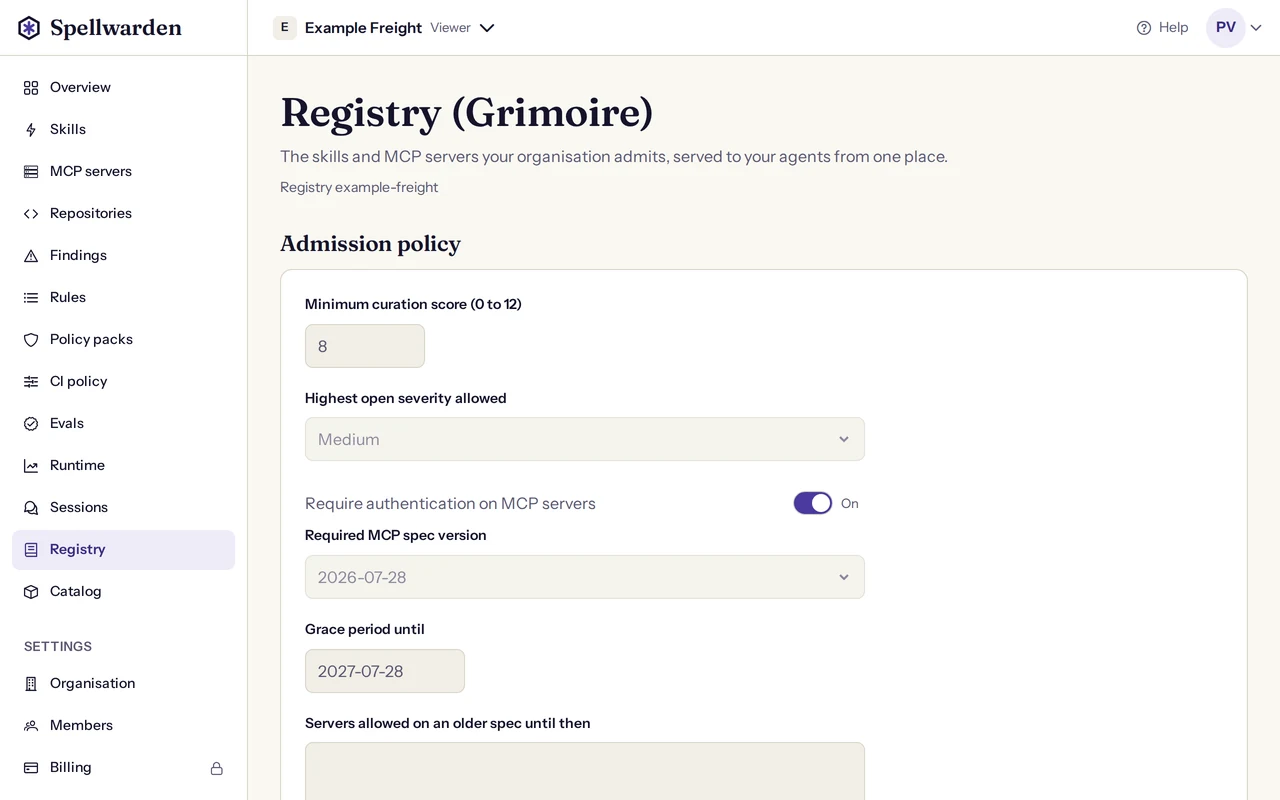
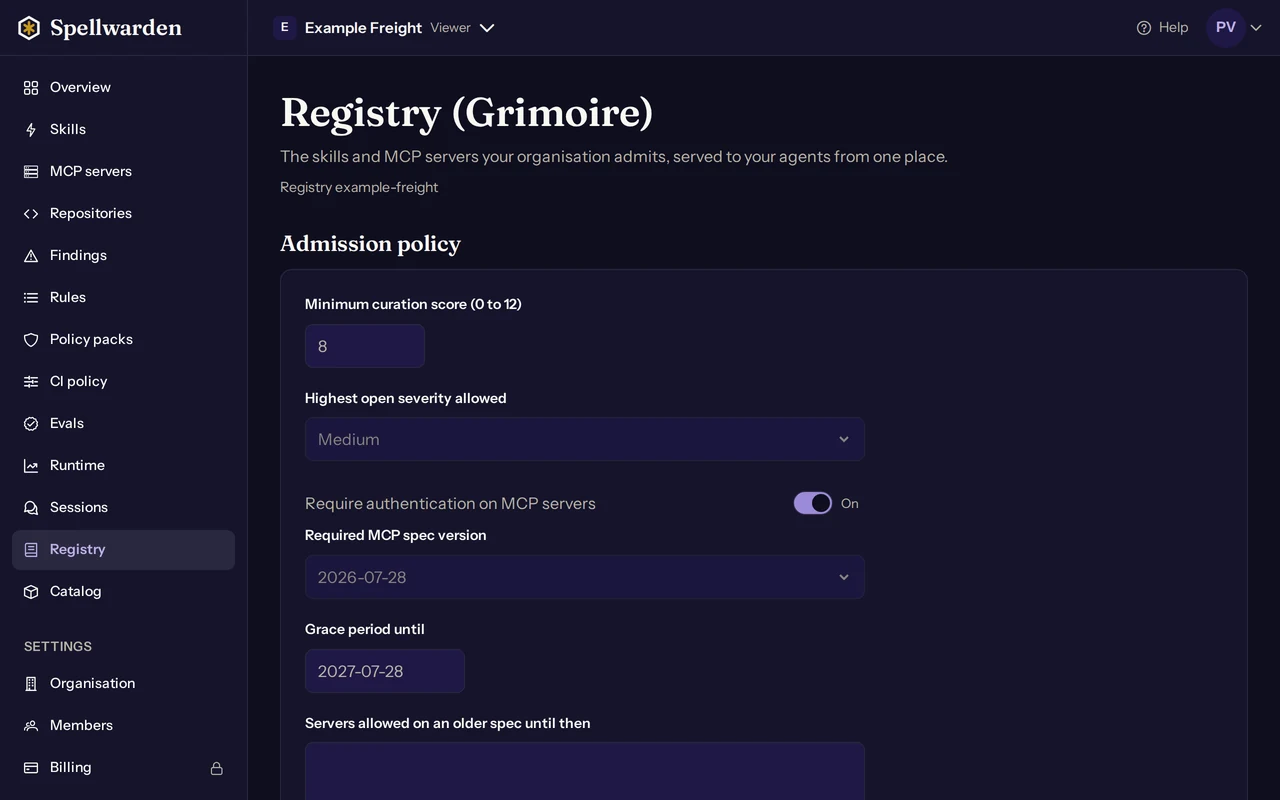
The registry applies one policy to every skill and server. A new registry starts with these values, and each is a field of the policy form on the Registry page:
| Field on the Registry page | Default | What it decides |
|---|---|---|
| Minimum curation score (0 to 12) | 8 or more | Skills only. A skill is admitted when its curation score is at least this value; you may set any value from 0 to 12. |
| Highest open severity allowed | Medium | The most severe open finding a skill or server may have. At Medium, an open critical or high finding blocks admission and open medium or low findings do not. None admits only a target with no open finding. Accepted and fixed findings are not open. |
| Require authentication on MCP servers | On | Servers only. A server whose authentication is none, a static key or not known is not admitted. |
| Required MCP spec version | 2026-07-28 | Servers only. A server that reports an older version, or none, is not admitted unless it is a grace server. |
| Grace period until | 28 July 2027 | The last day grace servers may stay on an older spec. It cannot be set later than 28 July 2027, the date of the home page's countdown; the migration guide explains where that date comes from and why it is a minimum, not a fixed removal day. |
| Servers allowed on an older spec until then | None | Grace servers: up to 100 servers of your organisation, one server id per line, that the registry admits on an older spec until the grace date. |
The MCP specification version of 2026-07-28 and what it changes for servers are covered in Moving MCP servers to the 2026-07-28 specification. Grace servers exist for the servers you cannot move yet: name them, and they stay admitted while you do.
Why a skill or server is not admitted
Admission is a function of the target's facts and the policy, and it lists every reason that applies. These are the reasons, in the order Spellwarden checks them:
| Reason | Applies to | What to do |
|---|---|---|
| No scan yet | Skills and servers | Scan it, or scan it again if the last scan ended in an error. |
| The scan did not run to the end | Skills and servers | An organisation rule could not finish. Fix the rule, then rescan. |
| Quarantined | Skills | A skill with an open finding from a malicious-indicator rule is quarantined. Fix the finding or remove the skill; Scan skills describes the state. |
| Score below the minimum | Skills | Fix findings to raise the score, or lower the minimum in the policy. |
| Open findings above the allowed severity | Skills and servers | Fix the finding, accept it with a note, or raise the allowed severity. |
| The skill's files changed since the scan | Skills | Scan the new version. The registry admits the hash it scanned, not the name. |
| Authentication missing | Servers | Put authentication on the server, or switch the requirement off. |
| Spec version below the required one | Servers | Move the server to the required version, or add it as a grace server. |
| Not probeable | Servers | A server started by a command (stdio) is never admitted by its scan. Allow its pinned command instead. |
Changing the policy and re-evaluation
- Open the Registry page. If your organisation has no registry yet, enter a registry name and select Create registry. The registry starts with the defaults above.
- Change the fields you need and select Save policy. The page answers Policy saved.
- Wait for the line that says Spellwarden is checking every skill and server against the new policy. When it disappears, the list of admitted entries is current.
Saving does not touch the skills and servers themselves. It starts one job that evaluates every skill and server against the new policy: a target that no longer meets it leaves the registry, and one that now meets it enters. Between saves, each scan and each change to a finding re-evaluates the one target concerned, so accepting a finding with a note can admit a skill without a policy change.
Only one registry job runs at a time. If you save again while one runs, the running job finishes and a new job then evaluates the latest policy, so the final state always follows the last policy you saved. A value the form cannot accept, such as a score above 12 or a grace date later than 28 July 2027, is answered with Check the policy values and nothing is saved.
A read-only organisation, one whose billing is missing, can read its registry and cannot change it. Add billing on the Billing page to change the policy again.
Using the registry as an MCP registry
The registry is also served as an MCP registry: a list of the admitted servers in the shape the open MCP registry API uses. Only servers with a remote address are listed, with the transport streamable-http or sse. A server started by a command is never in the list, because it has no address to give.
The address of the list is on the Registry page, under Registry API, and has this form. Write your organisation's URL name where the page shows it:
https://dash.spellwarden.ai/api/v1/orgs/<your-organisation>/registries/<registry-name>/v0/serversCall it with an API key of the organisation, read or write, sent in the x-api-key header or as a bearer token. The key is shown once when it is created; see API and keys. A first request looks like this, with your key in the environment variable:
curl -H "x-api-key: $SPELLWARDEN_API_KEY" \
  "https://dash.spellwarden.ai/api/v1/orgs/<your-organisation>/registries/<registry-name>/v0/servers?limit=30"
Where your MCP client asks for a registry address, enter that address; where it asks for a credential, send the key as above. The answer lists servers with a name of the form ai.spellwarden.<your-organisation>/<exported-name>, a title, a description, a version and the remotes with their transport and URL. A page holds 30 servers unless you pass limit, up to 100; the answer's metadata carries the cursor for the next page. The API lists at most 500 servers, sorted by name. One server is at the same address followed by its full name, URL-encoded.
The registry API is an Enterprise feature and, like every call with an API key, is refused while the organisation is read-only. Allow entries are not part of it.
Using it as a Claude Code plugin marketplace
Admitted skills can be handed to Claude Code as a plugin marketplace. Spellwarden builds a bundle of the admitted skills and you place it in a private git repository of your own. Spellwarden does not publish to any public marketplace.
- On the Registry page, select Build the marketplace bundle. The status goes from Queued to Building to Ready. If no skill is admitted yet, there is nothing to build and the page says so.
- When the status is Ready, select Download the marketplace bundle. The download link works for 5 minutes; select the button again for a new one.
- Commit the bundle to a private repository of your organisation.
- In Claude Code, add that repository with
/plugin marketplace add, and install the skills from it as plugins.
The bundle holds a marketplace file at .claude-plugin/marketplace.json and one plugin directory per admitted skill, with the files of the version the registry admitted. It holds up to 500 skills and 200 MiB of skill files; beyond that the build fails. Servers and allow entries are not in it.
A bundle is a snapshot. When an entry is admitted, removed or admitted at a new hash after the build, the page says that entries changed since the bundle was built, and Build again makes a current one. A bundle older than 30 days is shown as not built.
Allow entries
An allow entry is an administrator's statement that one exact pinned command, plugin commit or marketplace commit may be loaded. Spellwarden does not scan it. The entry, with its reason, and the audit log are the record, and the audit log names the person who added it.
| Kind on the page | What the identity names | Form of the identity |
|---|---|---|
| Pinned command | A launch command with every package at an exact version, such as an npx, uvx or docker run command. | Starts with cmd:, for example cmd:npx pkg@1.2.3 |
| Plugin | A plugin that a repository's own marketplace file takes from a remote source, pinned to one commit. | git: then the repository's address, @, and the full commit of 40 lower-case hexadecimal characters |
| Marketplace | A plugin marketplace that a repository declares in its Claude Code settings, pinned to one commit. | The same form as a plugin |
An identity is not typed by hand. A registry check in CI writes it into the link that asks for admission, and the dialog is prefilled from that link. Paste the identity exactly as the link gave it: Spellwarden refuses one that does not read back to the same text.
Add an allow entry
- Open the Registry page as an owner or manager, or open the request link from a CI report. Owners and managers can allow entries; anyone else sees the identity in words with the sentence Ask a registry administrator of this organisation to allow it.
- Select Allow an entry. Choose the type, check the identity and read the parts the dialog shows: the launcher, each package and its version, the package index, and whether other arguments are pinned by a hash, or for a plugin or marketplace the repository and the commit.
- Write why it is allowed, in at most 500 characters. The reason is required.
- If the permission should end, choose Allowed until: a date from today to 365 days ahead. Without a date there is no expiry.
- Select Allow.
The entry appears under Allowed by an administrator, with its type, what is allowed, who added it and when it expires. From the next check, pipelines accept the item. A registry holds up to 2500 allow entries, and the same entry cannot be added twice.
Expiry and removal
An entry stops admitting on the day after its expiry date, and a daily job removes it from the list and writes that to the audit log. To end a permission sooner, select Remove next to the entry and confirm. Pipelines refuse the item again from their next check. Adding, removing and expiring an entry are each written to the audit log, which you can read in Sign-in, two-factor and single sign-on.
To read the entries from a script, call GET /api/v1/orgs/<your-organisation>/registry/allow with a read key. Adding and removing happen on the Registry page only, so a script cannot widen the registry.
The registry check in pull and merge requests
A connected CI run can check a pull or merge request against the registry before it merges. The run sends the identity of each skill, MCP server, command, plugin and marketplace the change adds or modifies, and the registry says which it admits. An item is admitted when the registry holds it as an admitted skill or server, or as an allow entry that has not expired.
Each item that is not admitted becomes a finding of high severity: SW-REG-001 for a skill, plugin or marketplace, SW-REG-002 for an MCP server, and SW-REG-003 for an item the registry cannot judge, such as an unpinned launch. The report carries a link to ask for admission: a link to add the skill or server for a skill or server, and the allow dialog for a command, plugin or marketplace. The rules are described in the registry rules.
The check is on by default in the organisation's CI policy, and the Registry page links to the CI policy page. Setting up the pipeline, the policy and how the check treats pull requests is in Scan in CI with GitHub or GitLab.
A skill is admitted by the hash of its files. A checkout that changes line endings produces another hash, and the check then reports the skill as not admitted. Check the repository out without line-ending conversion.