Check MCP servers and plan their migration
Last updated 7 November 2026
For platform and security leads who run, or whose agents depend on, MCP servers. At the end you will have added a server, read its migration report, and know what the tool description grades and the weekly re-probes add.
Plans: Team and Enterprise
What a server check does
A server check probes an MCP server without signing in to it, classifies it against the MCP 2026-07-28 specification and runs the MCP server rules on what the server answered. It tells you how the server connects, whether it is ready for the 2026-07-28 revision or needs changes, and whether anything it says to a client is risky.
Every server you add is listed on the MCP servers page with its transport, spec version, authentication, migration status, open findings and last scan. The cards at the top count the servers, the ones that are Ready, the ones To migrate and the ones that are Not probeable, and the page shows the days left to the MCP deadline. Below them, the page counts the servers by transport and by authentication, and filters let you narrow the list by migration status, transport or authentication.
Open the MCP servers page in the live demo
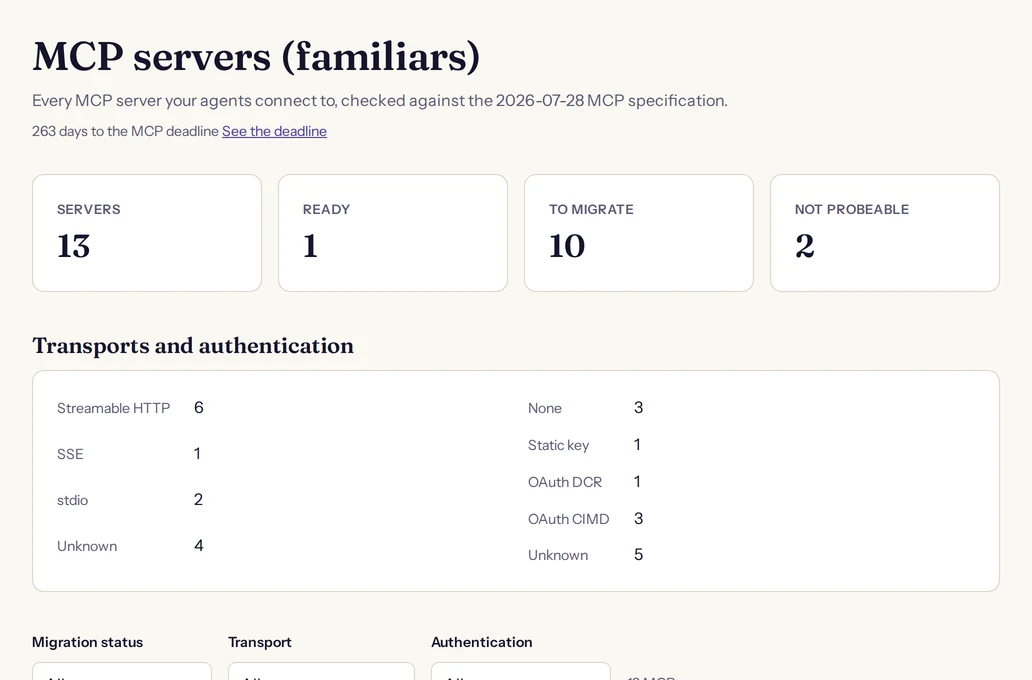
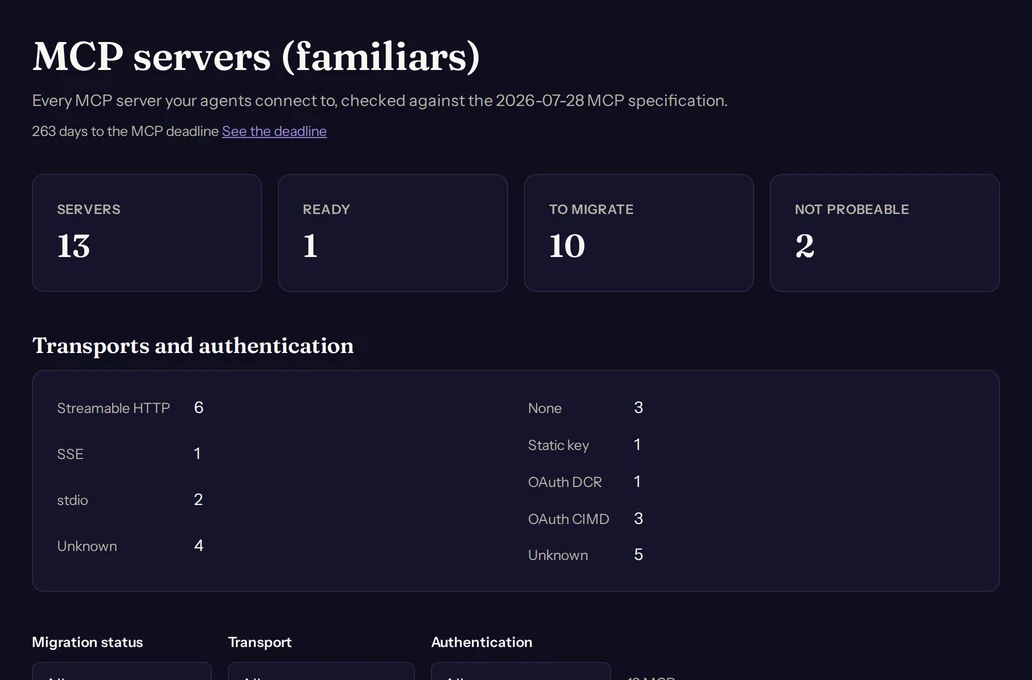
Each server also has a page of its own. It holds the migration report, the findings of the latest scan, the list of tools the server exposes and the tool description grades.
Add a server
Choose Add an MCP server on the MCP servers page. A member whose role can write data sees the button; a member with read access sees the page without it, and the button is disabled while the organisation is read-only. The dialog asks what you are adding and takes an optional name, which the page shows in place of the address.
- Endpoint URL: the address of a remote server, for example the one an agent's configuration lists. It must start with https.
- Repository (stdio server): the URL of a repository for a server that runs on a machine and has no address to probe.
- Official registry name: a name in the official MCP registry, such as
com.microsoft/microsoft-learn-mcp. Spellwarden looks the name up, takes the first remote of the entry whose name matches exactly, and uses its repository when the entry has no remote.
The first scan starts as soon as you add the server and runs in the background; the page shows its progress. Adding an address that is already in the list does not make a second server: it starts a new scan of the first one.
What Spellwarden keeps of a server
| Kept | What it holds |
|---|---|
| Identity | The normalised endpoint, else the repository and the key of its entry, else the registry name. One identity is always one server. |
| Details | The name, and the endpoint, repository or registry name you gave. A server added by registry name also keeps the description and version its registry entry gives. |
| Classification | Transport, spec version, authentication, the deprecated features in use and the migration status. |
| Checklist | The ordered migration checklist of the latest scan. |
| Tool list | The names and descriptions of the tools, at most 200 tools, with each description cut to a fixed length. The page says whether the list was read from the server or pasted. |
| Findings | The findings of each scan, with the scan that found them. |
Spellwarden stores no credential for a server: the probe sends none and the dialog asks for none. An organisation can hold 500 servers.
The probe and what it reads
The probe runs on Spellwarden's side as a background job. It sends the protocol's own requests to the address you gave and never a credential: no Authorization header and no cookie. It reaches public addresses over https only, and it sends at most 9 requests. In order, it:
- asks
server/discoverwith the 2026-07-28 protocol version, which tells it the versions the server supports; - falls back to the older
initializehandshake when the server does not answer, which gives the negotiated version, the server's capabilities and whether the server issues a session id; - decides the transport: a JSON or event stream answer to a POST means streamable HTTP, and a server that refuses POST but answers a GET with an event stream that names an endpoint uses the older HTTP and SSE transport;
- asks for the list of tools with no credential: an answer lists them, and a 401 or 403 says the server wants authentication;
- reads, when the server wants authentication, the protected resource metadata its answer points to and then the metadata of its authorization server, which show how clients register and sign in.
How the answers are classified
- Transport: Streamable HTTP, SSE, stdio (a repository without an endpoint) or Unknown.
- Authentication: None when the unauthenticated tool list was answered. Static key when the server refused with a 401 or 403 and offers no OAuth metadata. OAuth DCR when the authorization server offers dynamic client registration and does not support Client ID Metadata Documents. OAuth CIMD when it supports them. XAA when it accepts a JWT bearer grant and has no registration endpoint. Unknown when metadata was found and nothing in it was recognised.
- Spec version: the highest version the server lists in its
server/discoveranswer, else the version it negotiated ininitialize. - Deprecated features, in a fixed order: SSE, an initialize-only handshake, protocol sessions, roots, sampling, logging and dynamic client registration.
The MCP server rules
The classification and the tool list are then checked by the MCP server rules. Scanner rules explains how rules, ids and severities work; each rule below has a page with an example.
| Rule | What it reports | Worst case |
|---|---|---|
| SW-MCP-001 | Server lists tools without authentication | high |
| SW-MCP-002 | Static key authentication instead of OAuth | medium |
| SW-MCP-003 | OAuth dynamic client registration (deprecated; use Client ID Metadata Documents) | medium |
| SW-MCP-004 | HTTP+SSE transport (deprecated) | medium |
| SW-MCP-005 | Spec version older than 2026-07-28 | low |
| SW-MCP-006 | Protocol sessions (Mcp-Session-Id) in use | medium |
| SW-MCP-007 | Requires the initialize handshake; no server/discover | medium |
| SW-MCP-008 | Uses deprecated Roots, Sampling or Logging | medium |
| SW-MCP-009 | Endpoint not served over HTTPS | high |
| SW-MCP-010 | No protected resource metadata, or issuer not validated | medium |
| SW-MCP-011 | Tool description contains instruction-like text | high |
When a check does not finish
- A server that cannot be reached ends the scan with an error and writes no findings. The server keeps its earlier classification.
- An address that starts with
http://is not probed: no request is made. The server is recorded as not served over HTTPS and shown as To migrate. - A stdio server has no address, so it is Not probeable. Only a pasted tool list is checked.
- A server that needs credentials cannot list its tools to the probe. Choose Set the tool list on its page and paste the result of a
tools/listrequest or a JSON array of tools, at most 200 of them. Spellwarden checks the pasted tools with the tool description rules and keeps them across later probes, so it never needs your credentials. - A server that is being scanned cannot be scanned again until the running scan ends.
- An organisation can start at most 500 scans a day, of every kind. The limit counts scans you start and the weekly re-probes.
Unauthenticated tool lists
A server that lists its tools to a request with no authentication is reported by SW-MCP-001. Since engine 1.9.0 the finding is graded by what the list exposes, because a public documentation search server and a server that deletes records are not the same risk.
| What the list holds | Severity |
|---|---|
| The probe read the whole list and it holds no tool | low |
| The probe read the whole list and every tool declares itself read-only | medium |
| Anything else | high |
A tool declares itself read-only when annotations.readOnlyHint is true and destructiveHint is not true. A server writes that hint itself, so it can lower a finding to medium and never further. Only a list that was read whole is graded: a list the probe could not read, one that names a later page with nextCursor, one with more than 200 tools, one with an entry that has no string name, and a pasted list all stay high.
The evidence text of the finding did not change, so a finding you accepted before 1.9.0 stays accepted. SW-MCP-011, instruction-like text in a tool description, is graded in the same release: medium when a description only steers the model towards the tool, and high for concealment, override and injected instruction markers, and for a steering description that also names conversation, prompt or credential material. A tool gets one finding, at the worse severity. A server that sends its whole answer as one event stream is read in full, so its tool descriptions are checked too.
The migration report
A server's page is its migration report: the facts the probe found, the findings of the latest scan, the migration checklist and the days left to the MCP deprecation deadline. The same report is available through the API and through the Claude connector, which has a tool for it.
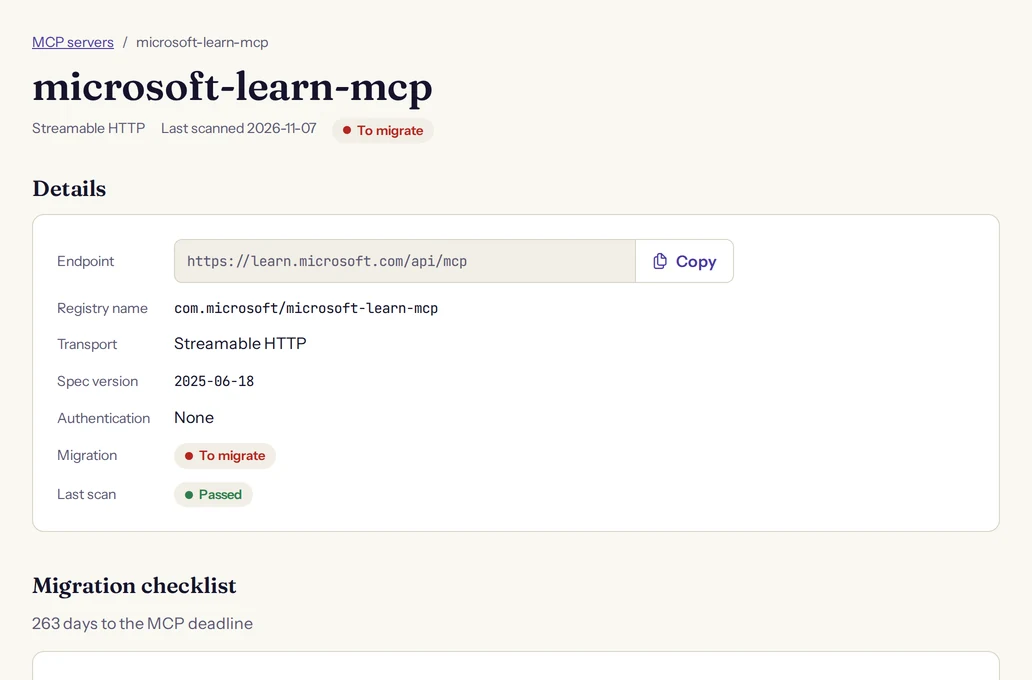
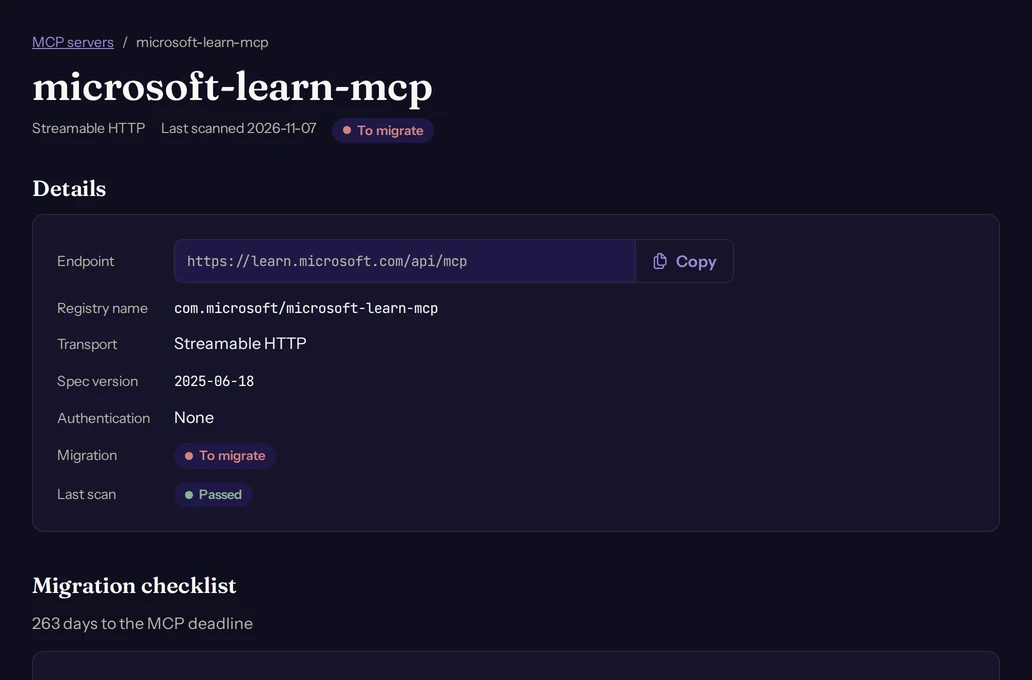
Migration status
| Status | When a server has it |
|---|---|
| Ready | Its spec version is 2026-07-28 or later, its authentication is OAuth CIMD or XAA, and it uses no deprecated feature. |
| To migrate | Anything else that was probed. |
| Not probeable | It is a stdio server. |
| Grace | The organisation's private registry policy names it as a grace server and the grace date has not passed. Enterprise plan only. |
| Not scanned | It has never been scanned. |
The checklist
The checklist is ordered, and each step appears only when it applies to the server. Re-run the Spellwarden scan is always last, so a server that is Ready shows Nothing to migrate in its place. A stdio server has no checklist: its page says it is not probed and offers the tool list instead.
| Step | Appears when |
|---|---|
| Move to streamable HTTP | The server uses the older HTTP and SSE transport. |
Add server/discover | The server only answers the initialize handshake, or its spec version is older than 2026-07-28. |
| Remove sessions | The server issues protocol session ids. |
Carry the protocol version and capabilities in _meta on each request | The spec version is older than 2026-07-28 or could not be read. |
Replace sampling/createMessage with an input_required result | The server uses sampling. |
Replace Logging with a per-request _meta log level | The server uses logging. |
| Move long jobs to the Tasks extension | A tool looks long-running and the server does not offer the Tasks extension. |
| Register a Client ID Metadata Document and enable OAuth with RFC 9728 Protected Resource Metadata and RFC 8707 resource indicators | The authentication is None, Static key, OAuth DCR or Unknown. |
Validate iss | The step above applies, or the server's issuer or resource metadata did not check out. |
Set ttlMs and cacheScope on list results | The spec version is older than 2026-07-28, or a list result lacks either key. |
Propagate traceparent in _meta | The spec version is older than 2026-07-28. |
| Re-run the Spellwarden scan | Always. |
Work through the steps from the top, then choose Scan again on the server's page. The checklist is recomputed from the new probe, so finished steps disappear. The page counts the days left to the deadline and never shows a negative number. Where that date comes from, and which changes it covers, is explained in Moving MCP servers to the 2026-07-28 specification.
Tool description grades
A tool description is what a model reads to decide whether and how to call a tool, so a vague or manipulative one costs you in both quality and safety. Spellwarden grades up to 50 tool descriptions of a server from A to F. Choose Grade tool descriptions in the Tool grades card of a server's page.
The grade needs a tool list, either read by the probe or pasted. A server without one answers "This server has no tool list yet. Scan it or paste its tool list." For a server with more tools than the limit, the first ones by name are graded, and the card says how many were not.
| Criterion | What a full score needs |
|---|---|
| Purpose | The description states what the tool does and when to use it. |
| Parameters | Every parameter is named, typed and described, and required ones are marked. |
| Side effects | The description states whether the tool only reads or changes something, and what it changes. |
| No hidden instructions | The description holds nothing addressed to the model beyond describing the tool: no directions about other tools, the user, secrecy or the order of calls. |
Each criterion is scored 0, 0.5 or 1 with the same weight, and the weighted score gives the tool its letter. The card shows the median letter of the run, a bar with the number of tools at each letter and the date of the run, which links to the run's page.
A grade is one eval run. It counts once against the organisation's eval runs for the month, whatever the grades, unless the run ends with an error. The guide to evals explains the monthly count and how to read a run. The confirmation names the data that is sent: the names, descriptions and input schemas of the tools go to an eval model on Amazon Bedrock in the EU, with text shaped like a credential masked first. The privacy policy describes the flow in full.
Grades are informational for now: they do not change curation scores, registry admission or the trust score yet.
Weekly re-probes
Servers change without telling you. Once a day Spellwarden looks for servers whose last scan is more than 7 days old and probes them again, so a server with an endpoint is probed every 7 days. A server added by its registry name is looked up again too, because its entry may now name a new remote.
A re-probe is an ordinary scan: it writes a new classification, a new checklist and new findings, and it carries over what you accepted. A stdio server has nothing to probe again, and an organisation that is read-only is skipped. To see the effect of a change at once, choose Scan again on the server's page.
Next steps
Read Moving MCP servers to the 2026-07-28 specification for what the revision changes and a checklist for the owner of a server. On the Enterprise plan, the private registry admits only the servers that pass your policy and can give a server a grace period while it migrates.