Rules, policy packs and exports
Last updated 7 November 2026
For security leads who turn findings into policy that is enforced. At the end you will know how the baseline rules, your organisation's own rules, policy packs and exports fit together, and where the file of each export goes.
Spellwarden separates two kinds of rule. A detection rule finds a problem in what a scan reads and reports it as a finding. An enforcement rule names a control that an export can enforce where your agents run. Organisation rules are detection rules that you write from your own findings. Policy packs choose the enforcement rules and organisation rules that an export carries. Owners and managers change rules and packs, and members and viewers can read them.
Plans: Team and Enterprise
Baseline rules
The 65 baseline rules run on every scan of every organisation, and they come from the open-source scanner. Each has an id, a default severity and a mapping to the OWASP and NIST entries it relates to, and Scanner rules has a page for each, with an example that triggers it. Nothing in this guide changes them: organisation rules are added to them, never in their place.
The Rules page of the dashboard has three tabs: detection rules, enforcement rules and organisation rules. The baseline rules and the enforcement rules are the same for every organisation, and the third tab is yours.
Open the Rules page in the live demo
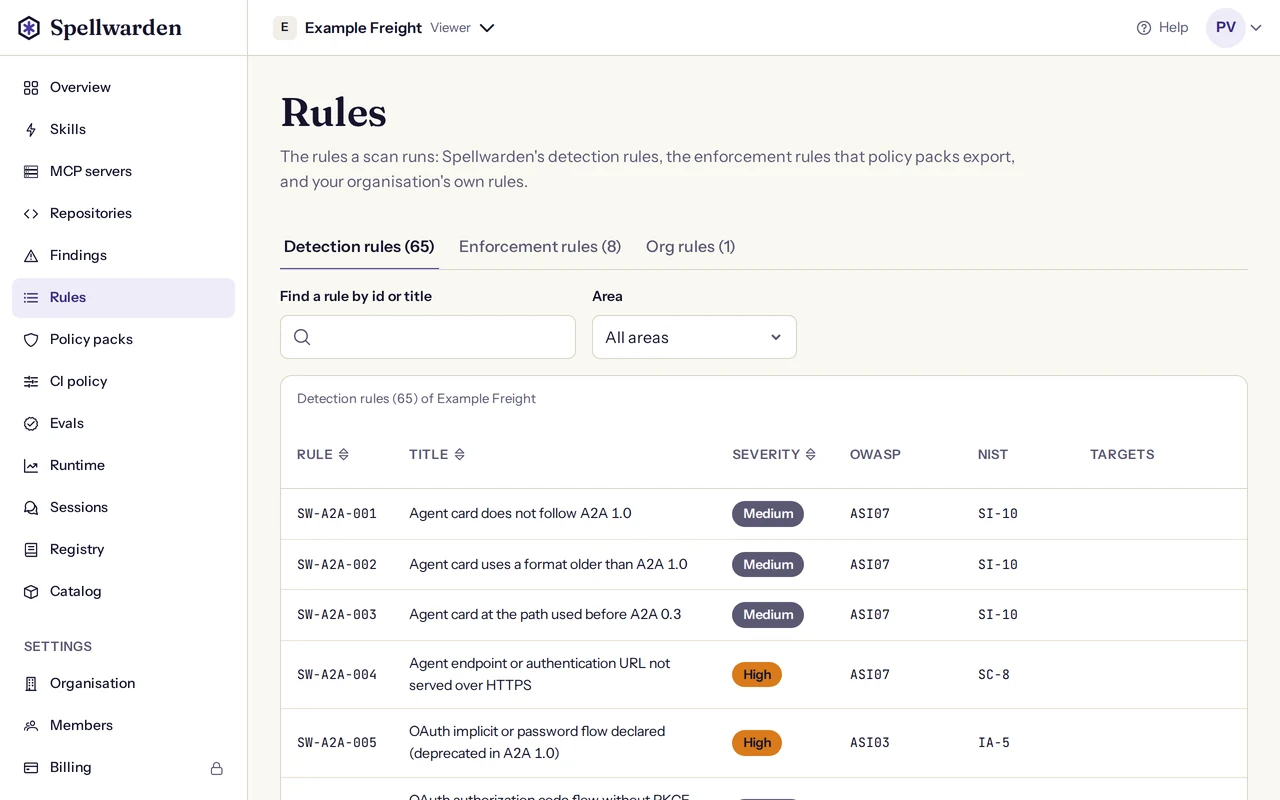
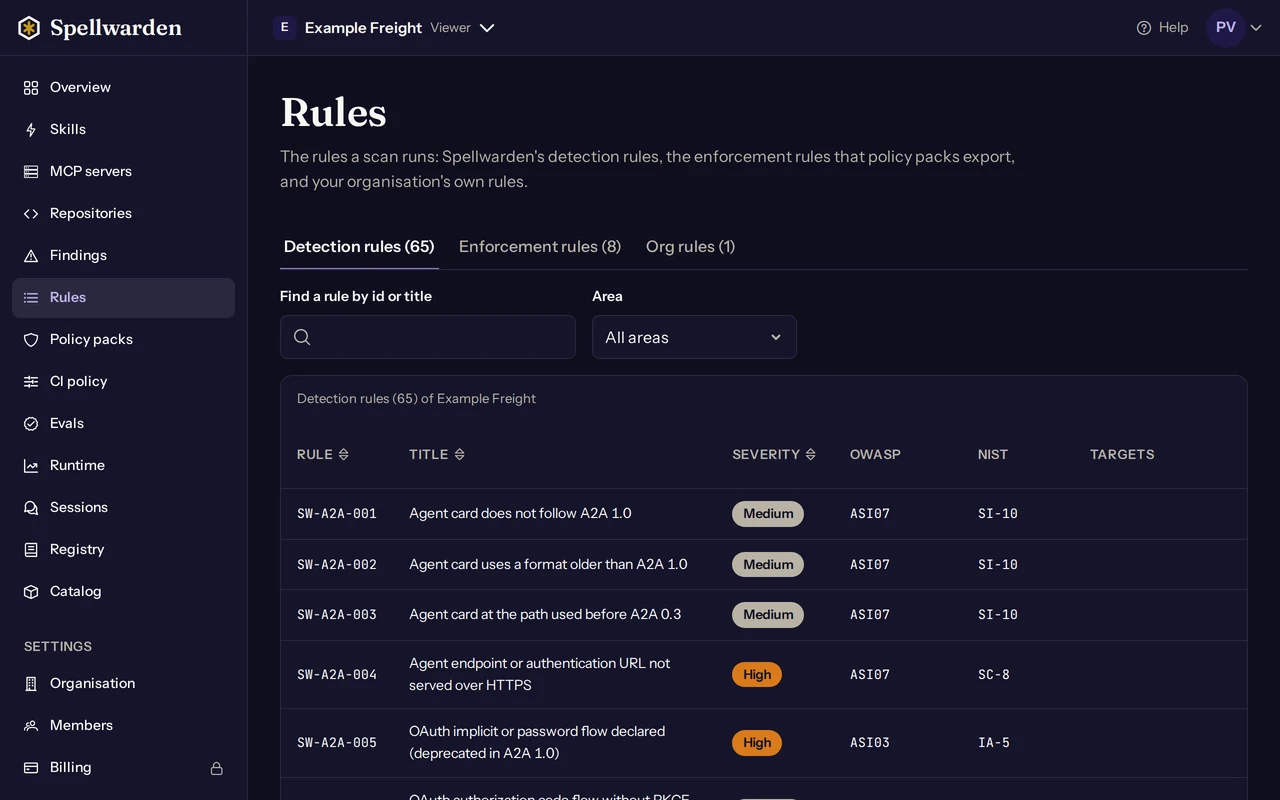
Organisation rules: promote a finding into a rule
An organisation rule catches a problem that no baseline rule does, and it runs on every scan of the organisation and in CI. You do not write one from scratch. You report a finding on a skill or an MCP server, and a manager or owner promotes it into a rule. The rule gets an id of the form SW-ORG-001, and an id is never reused.
- Open the skill or the MCP server and choose Report a finding. Give a title, a severity, what you found and, if you can, where. Anything shaped like a credential is masked. Owners, managers and members can report. Findings and the trust score explains findings.
- A manager or owner opens the finding on the Findings page and chooses Promote to a rule.
- Describe what to detect. For a skill, give the files to read as a glob, whether to read every line or only shell commands, a pattern and whether it is case-sensitive. For an MCP server, choose one of the server checks: the authentication mode, the transport, deprecated features, a protocol version below a given one, an endpoint host in or not in a list, or a pattern on tool names or tool descriptions.
- Set the title and the severity, which are filled in from the finding, and choose the OWASP and NIST entries it maps to. Choose the exports that may enforce it: Claude Code hooks only for a rule that reads shell commands, and Kong and Zuplo for any pattern rule. Mark a critical skill rule as malicious only when it must quarantine the package.
- Choose Check against this target. Spellwarden runs the rule alone against the target the finding came from and shows how many matches it has, with examples. A rule that matches nothing on its own target can still be promoted, and the dialog says so plainly. A rule marked malicious must match its own target, and you confirm the matches you saw.
- Confirm that the rule cannot be edited after promotion, and choose Promote.
The target the finding came from is scanned again at once, with the new rule, and every other target picks the rule up at its next scan: its weekly rescan, or a scan you start. A rule cannot be edited, because its findings carry its id. A changed idea is a new promotion.
On the Org rules tab you can turn a rule off and on, and archive it. A rule that is off does not run from the next scan. Archiving is final: an archived rule never runs again and cannot be turned back on, though its findings and the pack versions that include it keep it. Patterns use a small subset of regular expressions that the scanner reads in bounded time, and a pattern it refuses comes back with a message that names the position of the problem. The scanner's README, on GitHub, lists what a pattern may contain.
In CI, the organisation's CI policy decides which organisation rules join the baseline: all that are enabled, or the ones a policy pack includes. A repository that runs an older scanner skips a rule it is too old to run, and the Rules page says which repositories do. Rules for MCP servers run in CI only on servers that the scan probes. Scan in CI with GitHub or GitLab has the details.
Sharing a rule toward the public baseline
Sharing is optional, and it is the only way a rule of yours reaches Spellwarden. A manager or owner can share one organisation rule from the Org rules tab, with Share with Spellwarden in the rule's menu. Spellwarden reviews shared rules and may write a rule for the open-source scanner that everyone runs, from the problem yours describes. It writes that rule itself and does not copy your pattern.
The dialog shows exactly what is sent before you agree to anything:
- The rule as it is stored: its title, severity, area, OWASP and NIST entries, whether it is a malicious indicator, and the detection.
- A note that you write, which says why this is a problem. Do not put secrets or personal data in it. It is stored as one line, and credential-shaped values are masked.
- If the rule came from a skill that was imported from a repository, a checkbox to include where that skill is published: the repository, the branch or tag, and the path.
- A checkbox to agree to the terms and conditions, which have a section on the rules you share with us.
From the moment you share, Spellwarden may review the rule and the note, and an AI model from Anthropic helps with that review. They are used only for the review and as the record of where an adopted rule came from, and Spellwarden never publishes your organisation's name, your skills or your note. A rule that tests an endpoint host list stays in your organisation, because host lists are specific to you, and so does an archived rule.
The Shared column shows where a share stands: Under review, Adopted as the id of the new scanner rule, Covered by a rule that already exists, or Not adopted with the reason. Until Spellwarden decides, you can withdraw the share, and withdrawing deletes Spellwarden's copy. When a share is adopted and the rule has shipped, you can archive your own rule so that one problem does not show twice. A rule whose share was not adopted can be shared again.
Policy packs and the enforcement rules
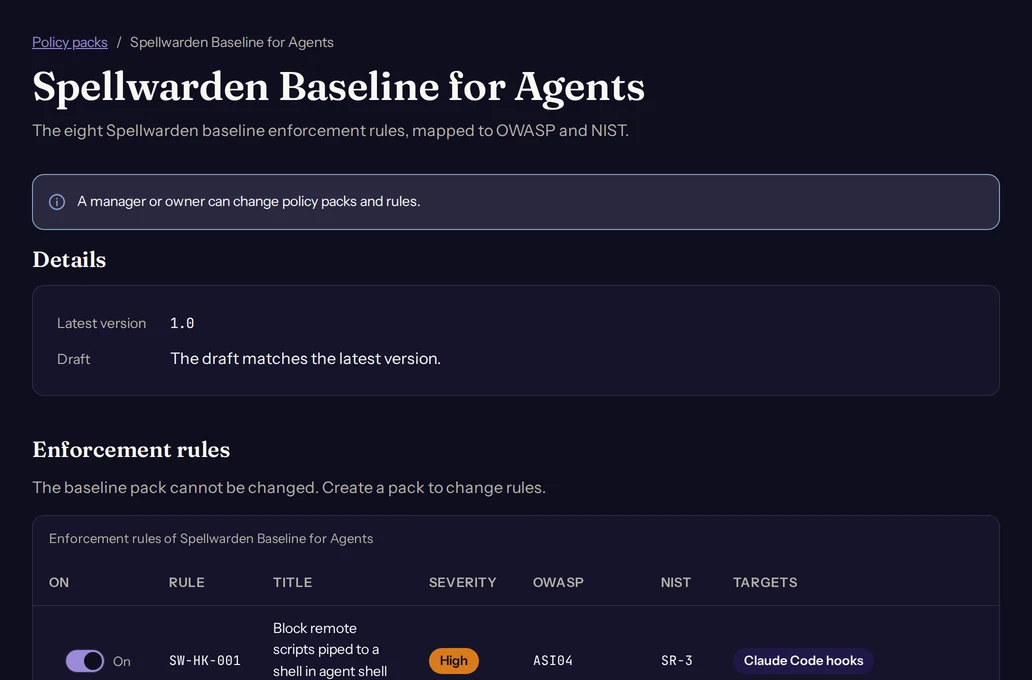
A policy pack is a set of enforcement rules, with full copies of the organisation rules it includes, that you export to the places your agents run. The baseline pack, Spellwarden Baseline for Agents, has the 8 enforcement rules below, all on. It is built in, and it cannot be changed. The Rules page and the rules reference list the same rules.
| Id | What it enforces | Severity | Enforced by |
|---|---|---|---|
SW-HK-001 | Block remote scripts piped to a shell in agent shell tools | High | Claude Code hooks |
SW-HK-002 | Block reads of credential files (~/.aws, ~/.ssh, .env) | High | Claude Code hooks |
SW-GW-003 | Deny MCP upstreams without OAuth | High | Not enforced by an export. The Zuplo export includes a script that checks it at deploy when your pipeline runs it |
SW-GW-004 | Prompt-injection deny patterns on prompts and tool results | Medium | Kong, on prompts only, and Zuplo MCP Gateway, on what MCP servers send back |
SW-EG-005 | Sandbox egress only to registry-admitted hosts | Medium | Not enforced by an export in this version |
SW-GW-006 | Destructive tool verbs require human approval | High | Claude Code hooks, which ask for approval |
SW-RG-007 | Registry admits only curated, auth-enabled entries on spec 2026-07-28 (or grace-flagged before the deadline) with no open critical or high finding | Medium | The private registry's admission policy, not an export |
SW-OB-008 | Emit an audit record for every tool call | Low | Not enforced. The Claude Code export writes a local activity log, which is not an audit trail |
An enforcement rule is a control, not a detection. Turning one off in a pack changes what that pack's exports carry, and it never hides a finding. Enforced means enforced where the export is deployed in a way the developer cannot change, which for Claude Code is the managed mode described below. The private registry's own admission policy is SW-RG-007; The private registry explains it.
Open the baseline pack in the live demo
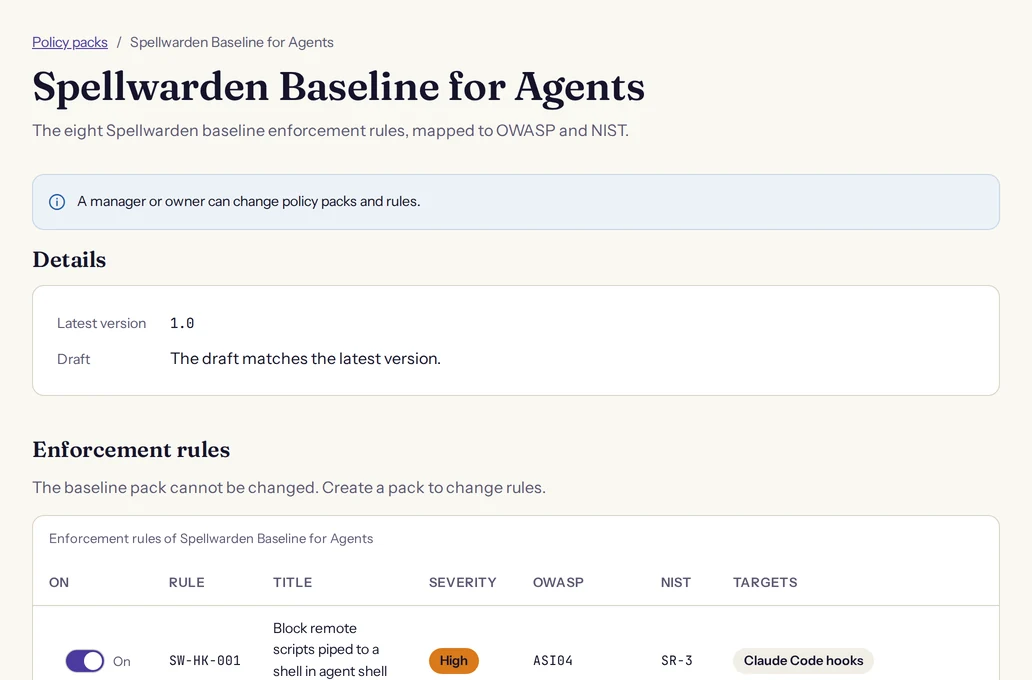
Your own packs
- On the Policy packs page, a manager or owner chooses Create a pack and gives it a name. The new pack starts as a copy of the baseline: every enforcement rule on and no organisation rules.
- Open the pack. Turn enforcement rules on or off in its draft, and include the organisation rules it should carry. A rule that cannot run, because it has a compile error, cannot be included.
- Choose Save draft. The page marks a pack with unpublished changes.
- Choose Publish version. A published version never changes, and it keeps full copies of the organisation rules it includes, so it keeps its meaning when the rules change later. Publishing is refused when nothing changed since the latest version.
The Versions list shows each version with its date, who published it and a sha256 that identifies it. Only a published version can be exported. A pack can also be named by the CI policy, so that CI scans apply it, as the CI guide describes.
Exports: what each target enforces
An export turns one published pack version into files for a target. The targets are Claude Code hooks, Kong and Zuplo MCP Gateway, and Team and Enterprise can both export to all three. Two more, AWS AgentCore Policy and Cloudflare sandbox egress, are listed in the dashboard as not available in this version.
No export enforces every rule, and each one says so. Every export has a file, SPELLWARDEN-README.md, that lists what the target enforces, what it cannot enforce and why, how to install it and the limits of its mode. It ends with the sentence: Validate field names against the vendor's current documentation before use. The Kong file also carries the same list in its header, as comments.
| Target | Enforces | Cannot enforce |
|---|---|---|
| Claude Code hooks | SW-HK-001, SW-HK-002 and SW-GW-006, and the organisation rules that name this target. Hooks deny a piped remote script and a read of a credential file, and ask before a destructive command or a destructive MCP tool verb. | SW-GW-003, SW-GW-004, SW-EG-005, SW-RG-007 and SW-OB-008, which is only a local activity log here. In project mode it enforces nothing against a checkout that does not keep the files. |
| Kong | SW-GW-004 on prompts, and the organisation rules that name this target, as deny patterns of the AI prompt guard plugin. | Every other enforcement rule. SW-GW-003 would need Kong's MCP plugins. |
| Zuplo MCP Gateway | SW-GW-004 on what MCP servers send through the gateway, and the organisation rules that name this target. A response that matches, or that cannot be checked, is replaced by an error. | SW-GW-003, which a deploy check covers only as far as your pipeline runs it, and every other enforcement rule. A pattern that cannot be written for JavaScript without the u flag is listed as not enforced. |
Claude Code hooks: project mode and managed mode
The export is one guard script, written for Python 3.8 or newer with only its standard library, with the pack's checks compiled in and no network access. A PreToolUse hook runs it for Bash, PowerShell, Read, Grep, Glob and MCP tools, and a PostToolUse hook runs it when SW-OB-008 is on. When one command matches both a deny and an ask, the deny wins.
- Project mode is advisory. The files go into the repository, so any branch can change, replace or remove them. It helps developers who want the checks, and it enforces nothing against a checkout that does not keep them.
- Managed mode is enforcing. Your administrators install the files outside every checkout, and the settings set allowManagedHooksOnly, so user, project and plugin hooks are ignored.
The guard never blocks on its own failure. On input it cannot read, including an event larger than 1 MiB, it prints nothing and lets the call proceed, so an agent can pass every check by making one tool call larger than that. A missing or unreadable script is different: every matched tool call is refused until the script is restored. On WSL the managed directory can be written by the user, so managed mode is not enforced there.
Kong and Zuplo
The Kong export is a decK file with one global AI prompt guard plugin. The Zuplo export is an outbound policy for Zuplo's MCP Gateway that checks what MCP servers send back, and a script that checks the project is wired as the export requires. Kong reads the word, digit and space classes for ASCII only, so a pattern that relies on non-ASCII letters can match differently there than in the scanner.
Using an export: where each file goes
Owners, managers and members create exports. On the Policy packs page, open the pack, find the version in the Versions list and choose Export. Choose the target and, for Claude Code hooks, where it runs: in this repository, which is advisory, or managed by your administrators, which is enforced. Then choose Download the export. The download is a zip named for the pack, the version and the target, and its link works for a short time, so export again for a new one.
Claude Code hooks in project mode
Copy the files of the zip into the repository and commit them: .claude/settings.json, .claude/hooks/spellwarden_guard.py, .claude/.gitignore for the activity log, SHA256SUMS and the README. The settings file of the baseline pack looks like this:
{
  "hooks": {
    "PreToolUse": [
      {
        "matcher": "^(Bash|PowerShell|Read|Grep|Glob|mcp__.*)$",
        "hooks": [
          {
            "type": "command",
            "command": "python3 -I \"$CLAUDE_PROJECT_DIR\"/.claude/hooks/spellwarden_guard.py pre",
            "timeout": 10
          }
        ]
      }
    ],
    "PostToolUse": [
      {
        "matcher": "*",
        "hooks": [
          {
            "type": "command",
            "command": "python3 -I \"$CLAUDE_PROJECT_DIR\"/.claude/hooks/spellwarden_guard.py post",
            "timeout": 10
          }
        ]
      }
    ]
  }
}
Claude Code hooks in managed mode
- Install the guard script read-only, owned by root or the Administrators group, at an absolute path outside every checkout, and check it against the sha256 in
SHA256SUMS. - Place the settings file of the platform where Claude Code reads managed settings. Where a managed settings file already holds your organisation's policy, add this file's keys to it, or place this one as
managed-settings.d/50-spellwarden.jsonbeside it, rather than replacing it.
| Platform | Script path | Managed settings file | Status |
|---|---|---|---|
| Linux | /etc/claude-code/spellwarden/spellwarden_guard.py | /etc/claude-code/managed-settings.json | Verified on 21 October 2026 |
| macOS | /Library/Application Support/ClaudeCode/spellwarden/spellwarden_guard.py | /Library/Application Support/ClaudeCode/managed-settings.json | Verified on 21 October 2026 |
| Windows | C:\Program Files\ClaudeCode\spellwarden\spellwarden_guard.py | C:\Program Files\ClaudeCode\managed-settings.json | Verified on 21 October 2026 |
A platform counts as verified once a check in the scanner's own pipeline and a check by hand with Claude Code have passed on it. The README of every managed export names the platforms that were not verified yet. The settings file of a Linux export looks like this, and the macOS and Windows files differ only in the script path.
{
  "allowManagedHooksOnly": true,
  "hooks": {
    "PreToolUse": [
      {
        "matcher": "^(Bash|PowerShell|Read|Grep|Glob|mcp__.*)$",
        "hooks": [
          {
            "type": "command",
            "command": "python3 -I \"/etc/claude-code/spellwarden/spellwarden_guard.py\" pre",
            "timeout": 10
          }
        ]
      }
    ],
    "PostToolUse": [
      {
        "matcher": "*",
        "hooks": [
          {
            "type": "command",
            "command": "python3 -I \"/etc/claude-code/spellwarden/spellwarden_guard.py\" post",
            "timeout": 10
          }
        ]
      }
    ]
  }
}
Kong
- Take
kong/spellwarden-<pack id>-<version>.yamlfrom the zip, which for the baseline pack iskong/spellwarden-baseline-1.0.yaml. - Scope the plugin to your AI routes or services by adding
route:orservice:, then add it to your decK state, for example withdeck file merge. - Do not run
deck gateway syncwith this file alone, because it removes every entity that is not in the files it is given. Rundeck gateway diff, check the changes, then rundeck gateway sync.
The file begins with the list of what it enforces and what it does not:
# Spellwarden policy export: pack "Spellwarden Baseline for Agents" 1.0, built 2026-12-01T00:00:00Z.
# Enforced here: SW-GW-004 (prompts only).
# Not enforced by this target: SW-HK-001 (enforced by the Claude Code hooks export), SW-HK-002 (enforced by the Claude Code hooks export), SW-GW-003 (needs Kong's MCP plugins), SW-EG-005 (a sandbox egress proxy is not in this version), SW-GW-006 (enforced by the Claude Code hooks export), SW-RG-007 (enforced by the private registry, not by an export), SW-OB-008 (a protected audit trail of tool calls is not in this version).
# Validate field names against the vendor's current documentation before use.
_format_version: '3.0'
plugins:
- name: ai-prompt-guard
  config:
    deny_patterns:
Zuplo MCP Gateway
- Copy
zuplo/modules/spellwarden-mcp-guard.tsto the project'smodules/folder. - Add the entry of
zuplo/config/spellwarden-policies.jsonto the policies array ofconfig/policies.json, replacing an olderspellwarden-mcp-guardentry. - Add
spellwarden-mcp-guardas the last outbound policy of every MCP Gateway route. - Copy
zuplo/spellwarden-zuplo-check.mjsto the project root and runnode spellwarden-zuplo-check.mjsin the pipeline before the deploy, or as a required status check on the production branch. - Run Zuplo's lint, try the project locally, then deploy.
The check script needs Node 20 or later. It checks that the entry, the guard file and the options are the ones the export wrote, that the project's compatibility date is 2026-03-01 or later, that every MCP Gateway route lists the guard last among its outbound policies and, when SW-GW-003 is on in the pack, that it uses a token exchange inbound policy with an OAuth authentication mode. SW-GW-003 is therefore enforced only as far as your pipeline runs the script. A new published version is a new export, so replace the entry and the files when you publish one.